

ChatGPT Latest Updates 2026: New AI Features, Shopping, Work & More
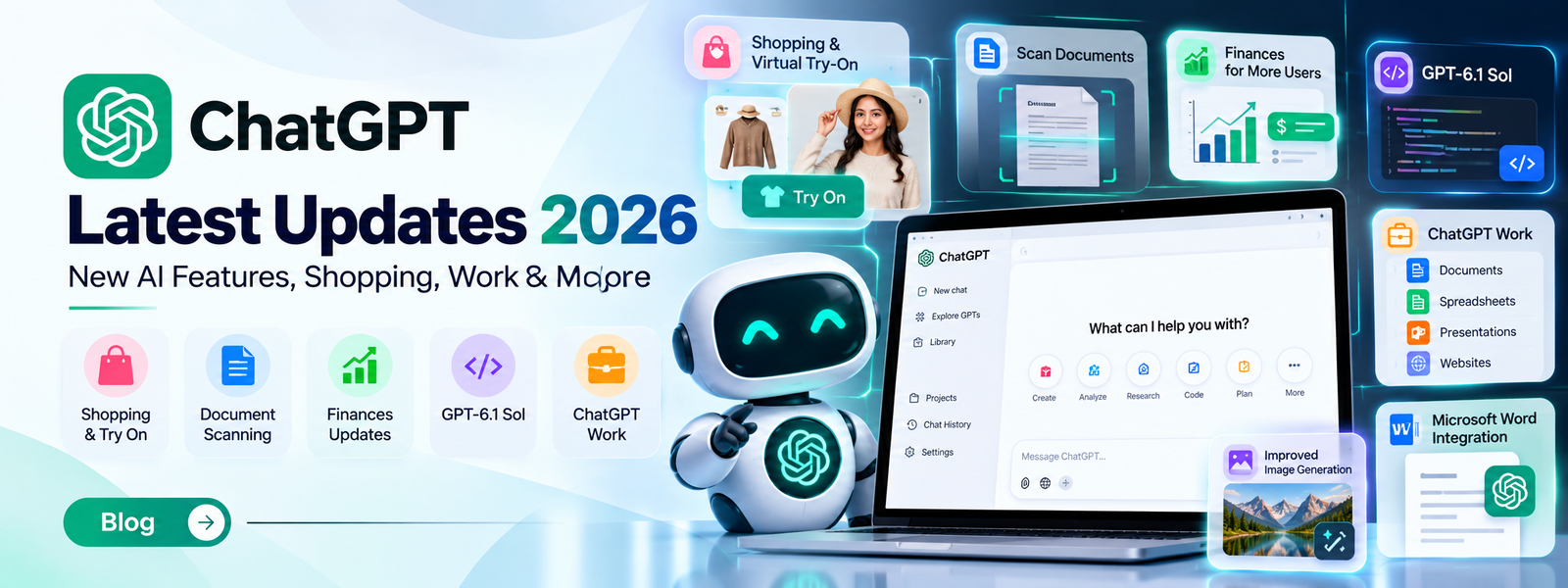
October 2026 – AI technology continues to evolve rapidly, and ChatGPT is becoming more than just a conversational AI tool. Recent updates from OpenAI are expanding ChatGPT into shopping, document processing, financial insights, professional work, image creation, and AI-powered business workflows.
For businesses, developers, marketers, designers, and everyday users, these updates show how quickly AI is moving toward becoming an integrated digital assistant.
Here are some of the latest ChatGPT updates you should know about.
1. ChatGPT Introduces New Shopping Features
One of the latest updates focuses on improving the shopping experience inside ChatGPT.
Users can now see a “Try on” option for eligible clothing and accessory product listings. Users can take or upload a selfie and use ChatGPT Images to visualize how products could look on them.
ChatGPT has also introduced ways to save shopping discoveries. Users can add products to Favorites or organize products into folders inside the ChatGPT Library.
This could make AI-assisted shopping more personalized by combining product discovery, visual search, recommendations, and image generation.
2. Scan Documents Directly with ChatGPT
ChatGPT is also making it easier to work with physical documents.
On supported iOS devices, users can use the ChatGPT camera’s Scan option to capture multiple pages. ChatGPT can combine the scanned pages into a single PDF that can then be uploaded to a conversation.
This can be useful for:
- Business documents
- Notes
- Printed reports
- Forms
- Receipts
- Meeting documents
- Multi-page paperwork
Instead of taking separate photographs and uploading them individually, users can create a combined document more easily.
3. ChatGPT Finances Expands to More Users
OpenAI has also expanded its Finances experience to Free and Go users in the United States.
Eligible users can securely connect supported financial accounts and ask questions based on their financial information. ChatGPT can help users understand spending, identify ways to save, and make sense of investments.
This represents a broader shift toward AI assistants that can work with users’ connected information rather than only answering general questions.
4. GPT-6.1 Sol for Complex Professional Work
OpenAI has introduced GPT-6.1 Sol for complex coding and professional workloads across ChatGPT Work, Codex, and the API.
According to OpenAI, GPT-6.1 Sol is designed to deliver performance approaching Astra for complex work while being positioned at a lower cost. It is being rolled out across ChatGPT Work and Codex, beginning with Pro users and expanding to additional plans and workspaces.
The model is particularly relevant for:
- Software development
- Coding
- Long-running tasks
- Computer use
- Professional documents
- Complex workflows
- Agent-based applications
For technology companies, this could make AI-assisted development and automation more accessible.
5. ChatGPT Is Moving Toward Agentic Work
OpenAI’s DevDay 2026 announcements highlighted a broader direction for ChatGPT: AI that can take on longer-running responsibilities rather than simply responding to individual prompts.
OpenAI described new agents and new ways for people and AI to collaborate, including the ability for developers to create native experiences that can reach ChatGPT’s large user base.
This is an important development because the future of AI is increasingly moving from:
Ask → Answer
toward:
Plan → Execute → Review → Complete
For businesses, this could mean AI systems handling multi-step workflows such as research, data analysis, document creation, customer support, software development, and internal operations.
6. ChatGPT Images Continue to Improve
OpenAI also introduced ChatGPT Images 2.5, bringing improvements to image generation and editing.
The update includes:
- More precise image editing
- Sharper image details
- Faster image generation
- Image templates
- Sketch-to-image workflows
- Image editing and commenting
- Easier sharing of image prompts
Users can also start from templates and customize them for their requirements.
For designers and marketers, this can significantly simplify the process of creating social media graphics, advertising concepts, website visuals, product creatives, and marketing campaigns.
7. ChatGPT for Microsoft Word
Another useful update is the availability of ChatGPT inside Microsoft Word.
Users can use ChatGPT from the Word sidebar to:
- Draft content
- Summarize documents
- Rewrite selected text
- Modify headings
- Adjust formatting
The feature is available across ChatGPT plans, including Free, with usage subject to the applicable plan limits.
This brings AI assistance directly into an application many businesses already use every day.
8. ChatGPT Work for Complex Tasks
OpenAI introduced ChatGPT Work as an agent designed for longer and more involved tasks.
It can research and analyze information, work across connected applications and files, and create finished documents, spreadsheets, presentations, reports, and websites.
This is an important shift in how businesses can use AI.
Instead of asking AI to complete one small task at a time, teams can increasingly use AI for larger workflows.
For example:
Research → Analysis → Content → Presentation → Final Deliverable
can potentially become one connected AI workflow.
9. New ChatGPT Advertising Developments
OpenAI has also announced new developments around advertising in ChatGPT.
On October 5, 2026, OpenAI announced a new visual advertising format and expanded measurement capabilities for ChatGPT advertising.
For marketers and advertisers, this could create new opportunities for reaching users within AI-powered experiences.
It also indicates that AI platforms are becoming another important environment for digital marketing and brand discovery.
10. AI-Generated Text and Provenance
OpenAI has announced work around text provenance and watermarking.
According to OpenAI, API customers globally can opt in to text watermarking for selected models, while eligible ChatGPT and Codex text output in the European Union will receive invisible watermarking over the coming weeks.
The goal is to improve the ability to identify AI-generated content and support transparency around AI-generated text.
This development could become increasingly important for:
- Education
- Publishing
- Journalism
- Enterprise content
- Research
- AI governance
What Do These ChatGPT Updates Mean for Businesses?
The latest developments suggest that ChatGPT is evolving from a simple AI chatbot into a broader AI productivity and automation platform.
Businesses can potentially use AI for:
Marketing
- Content creation
- Campaign ideas
- Social media planning
- Market research
- Advertising concepts
Software Development
- Coding assistance
- Debugging
- Research
- Application development
- Automated workflows
Design
- UI/UX concepts
- Image generation
- Marketing creatives
- Product visuals
- Prototyping ideas
Business Operations
- Document creation
- Data analysis
- Research
- Reports
- Presentations
- Workflow automation
Customer Experience
- AI assistants
- Knowledge systems
- Customer support
- Personalized recommendations
- Automated responses
Why Businesses Should Pay Attention to AI Updates
AI is no longer limited to generating text.
The latest ChatGPT developments demonstrate a move toward multimodal, connected and agentic AI, where systems can work with text, images, documents, applications, data, and business workflows.
For businesses, this creates an opportunity to rethink how repetitive and time-consuming tasks are performed.
Companies that start experimenting with AI early can identify opportunities for automation and productivity improvements before these technologies become standard across their industries.
What Is Next for ChatGPT?
The direction of recent OpenAI releases suggests that future ChatGPT experiences will likely become increasingly capable of:
- Understanding complex instructions
- Working across multiple applications
- Handling longer tasks
- Creating complete business deliverables
- Using connected information
- Generating and editing visual content
- Supporting professional workflows
- Automating repetitive processes
The biggest change may not be a single new model or feature.
It may be the transition from AI that answers questions to AI that helps complete work.
Conclusion
The latest ChatGPT updates show how quickly artificial intelligence is becoming part of everyday digital workflows.
From shopping and image generation to document scanning, professional work, coding, financial insights, and AI agents, ChatGPT is expanding into multiple areas of personal and business productivity.
For companies looking to adopt AI, now is an important time to explore practical use cases rather than treating AI as only a content-generation tool.
Whiz Technology helps businesses explore AI, automation, software development, digital solutions, and modern technology strategies to improve productivity and build better digital experiences.
Stay connected with Whiz Technology for the latest updates in AI, ChatGPT, automation, software development, digital marketing, and emerging technology.
Frequently Asked Questions
What are the latest ChatGPT updates in 2026?
Recent updates include new shopping and virtual try-on capabilities, document scanning, expanded Finances access, GPT-6.1 Sol, ChatGPT Work, improved image generation, Microsoft Word integration, and new advertising developments.
What is GPT-6.1 Sol?
GPT-6.1 Sol is an OpenAI model designed for complex coding and professional workloads, including agentic coding and computer-use tasks.
Can ChatGPT create images?
Yes. ChatGPT supports image generation and editing, with recent updates improving image quality, editing precision, templates, and sketch-to-image workflows.
How can businesses use ChatGPT?
Businesses can use ChatGPT for research, content creation, software development, document creation, data analysis, customer support, marketing, automation, and other workflows.
Is ChatGPT becoming an AI agent?
ChatGPT is increasingly supporting agentic workflows where AI can perform multi-step tasks, work with connected information and tools, and produce completed deliverables rather than only answering individual questions.


LET'S BUILD YOUR DIGITAL GROWTH
Discuss Your Project
→
Need Professional Digital Solutions?
Connect with Whiz Technology for website development, digital marketing, AI automation and business solutions.