

WordPress & PHP Website Malware Attacks: Common Errors, Causes and How to Fix Them
Introduction
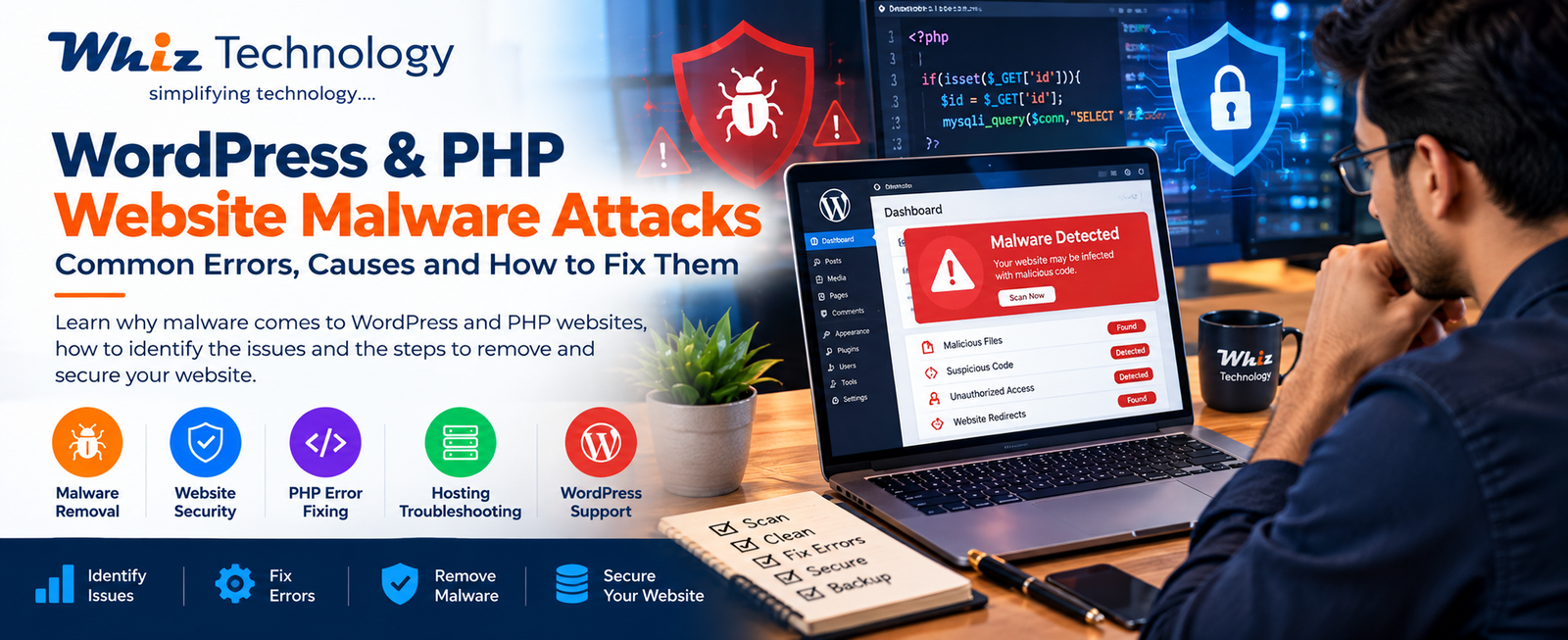
Website malware infections are a serious security concern for businesses operating WordPress and PHP-based websites. A malware infection can affect website performance, redirect visitors to suspicious pages, inject unwanted advertisements, modify website files, or cause a website to become inaccessible.
Many website owners initially notice unusual symptoms such as a sudden increase in spam pages, unexpected redirects, browser security warnings, or errors appearing on their websites.
These issues may result from compromised administrator credentials, vulnerable plugins, outdated themes, insecure file permissions, or malicious code uploaded to the hosting account.
At Whiz Technology, website security troubleshooting involves identifying the source of the infection, examining suspicious files, resolving technical errors, and implementing preventive security measures.
This article explains common WordPress and PHP malware symptoms and the technical steps involved in resolving them.
What Is Website Malware?
Website malware refers to malicious code or software that has been introduced into a website or its hosting environment without authorization.
It may affect WordPress core files, themes, plugins, PHP scripts, databases, or other website components.
Depending on the infection, malware may be designed to:
- Redirect website visitors to suspicious websites.
- Inject spam links or unwanted content.
- Create unauthorized administrator accounts.
- Modify PHP files.
- Execute unauthorized scripts.
- Steal credentials or sensitive information.
- Consume server resources.
- Distribute malicious downloads.
Not every website error indicates malware. A proper technical investigation is necessary to distinguish security incidents from configuration, compatibility, or hosting problems.
Common Signs of Malware Infection in WordPress and PHP Websites
1. Unexpected Website Redirects
One common symptom is automatic redirection to unfamiliar websites.
For example, visitors may enter the correct business website URL but get redirected to unrelated pages.
Possible investigation areas include:
- Modified
.htaccessrules. - Compromised WordPress plugins.
- Injected JavaScript.
- Suspicious PHP files.
- Unauthorized database changes.
2. WordPress White Screen of Death
A website may display a blank white screen instead of its normal content.
Possible causes include:
- PHP fatal errors.
- Incompatible plugins.
- Corrupted theme files.
- Memory limit exhaustion.
- Malicious code interfering with execution.
The PHP error log should be examined before making changes.
3. 403 Forbidden Error
A 403 error indicates that the server is refusing access to a requested resource.
Potential causes include:
- Incorrect file permissions.
- Security plugin restrictions.
- Web application firewall rules.
- Corrupted
.htaccessconfiguration. - Hosting-level security restrictions.
A 403 error is not automatically evidence of malware.
4. 500 Internal Server Error
A 500 error can occur when the server encounters an unexpected condition.
Common causes include:
- PHP syntax errors.
- Incorrect server configuration.
- Plugin or theme conflicts.
- Resource limitations.
- Corrupted rewrite rules.
Check the server’s error logs to identify the actual failure.
5. Suspicious Files in the Hosting Account
During a malware investigation, administrators may discover unfamiliar PHP files or unexpected modifications to existing files.
Suspicious indicators can include:
- Unrecognized PHP scripts.
- Unexpected files inside upload directories.
- Recently modified core files.
- Obfuscated PHP code.
- Unauthorized scheduled tasks.
File names alone are not sufficient to establish that a file is malicious. Compare files against trusted software distributions and investigate their behavior.
How Does Malware Enter WordPress and PHP Websites?
Outdated WordPress Plugins and Themes
Unpatched software may contain security vulnerabilities that attackers can exploit.
Regularly updating WordPress core, themes, and plugins helps reduce exposure to known vulnerabilities.
Weak Administrator Passwords
Weak or reused passwords increase the risk of unauthorized account access.
Use strong, unique credentials and enable multi-factor authentication wherever possible.
Insecure Hosting Configuration
Incorrect file permissions, exposed configuration files, and poorly isolated hosting accounts can increase security risks.
Compromised FTP or Hosting Credentials
If hosting or FTP credentials are stolen, an attacker may be able to modify website files directly.
Infected Third-Party Components
Untrusted themes, plugins, or software obtained from unofficial sources may contain malicious code.
Use verified software sources and remove components that are no longer required.
Step-by-Step Process to Remove WordPress Malware
Malware removal should be performed carefully to avoid destroying evidence, losing data, or leaving hidden persistence mechanisms.
Step 1: Take a Complete Website Backup
Before making changes, create a backup of:
- Website files.
- WordPress database.
- Configuration files.
- Relevant server logs.
Store a copy outside the affected hosting environment.
If the website is actively harming visitors, coordinate temporary containment with the hosting provider.
Step 2: Identify the Infection Source
Review:
- Hosting malware scan results.
- PHP error logs.
- Recently modified files.
- WordPress administrator accounts.
- Installed plugins and themes.
- Scheduled tasks.
- Database records.
- Hosting access logs, where available.
The objective is to identify both the infected files and the likely entry point.
Step 3: Scan Website Files
Use a reputable security scanner or hosting malware detection facility.
Compare WordPress core files with clean versions of the same WordPress release.
Investigate suspicious PHP scripts rather than deleting files solely because their names appear unfamiliar.
Step 4: Clean or Replace Infected Files
For verified infections:
- Replace compromised WordPress core files with trusted copies.
- Reinstall affected plugins and themes from official sources.
- Remove confirmed malicious scripts.
- Review modified configuration files.
- Inspect the uploads directory for executable files.
- Check for unauthorized code in PHP entry points.
Custom PHP applications should be reviewed separately to avoid removing legitimate business functionality.
Step 5: Inspect the WordPress Database
Malicious content may remain in the database even after infected files are removed.
Review:
- Unauthorized administrator accounts.
- Suspicious posts and pages.
- Injected scripts.
- Modified site URLs.
- Unwanted database entries.
Create a database backup before performing cleanup operations.
Step 6: Reset Credentials
After containment and cleanup, rotate relevant credentials:
- WordPress administrator passwords.
- Hosting control panel password.
- FTP/SFTP credentials.
- Database credentials.
- API keys and application secrets, where exposure is suspected.
Revoke unauthorized sessions and accounts.
Step 7: Verify Website Functionality
After cleanup, test:
- Homepage and internal pages.
- WordPress administrator login.
- Contact forms.
- E-commerce checkout, if applicable.
- PHP functionality.
- Website redirects.
- Mobile responsiveness.
- Security scanner results.
Monitor the website after restoration to detect possible reinfection.
How to Prevent Future Malware Attacks
Website security requires ongoing maintenance rather than a one-time cleanup.
Recommended practices include:
- Keep WordPress core, plugins, and themes updated.
- Use strong passwords and multi-factor authentication.
- Install a reputable web application firewall.
- Maintain regular off-site backups.
- Use secure hosting configurations.
- Remove unused plugins and themes.
- Monitor file integrity and suspicious activity.
- Apply appropriate file permissions.
- Use HTTPS with a valid SSL certificate.
- Review hosting and application logs periodically.
For PHP applications, also maintain supported PHP versions, validate user inputs, use secure database queries, and protect sensitive configuration files.
When Should You Contact a Website Security Professional?
Professional assistance may be required when:
- Malware repeatedly returns after cleanup.
- The hosting provider suspends the website.
- Google displays a security warning.
- Multiple websites under one hosting account are affected.
- Website files have been extensively modified.
- The database contains unauthorized changes.
- The website displays persistent PHP errors.
A comprehensive investigation should address the infection source, affected components, restoration, and preventive controls.
How Whiz Technology Helps Resolve WordPress and PHP Website Issues
Whiz Technology provides website development, technical troubleshooting, maintenance, and security-related support for WordPress and PHP-based websites.
Our website troubleshooting services cover:
- WordPress Malware Investigation
- PHP Error Debugging
- Website Recovery Assistance
- Plugin and Theme Conflict Resolution
- Website File Integrity Checks
- Hosting Configuration Troubleshooting
- Website Security Hardening
- Backup and Maintenance Support
Our technical approach focuses on identifying the underlying issue rather than applying temporary fixes that may leave the original problem unresolved.
Conclusion
Malware infections can affect website availability, functionality, customer trust, and business operations.
For WordPress and PHP websites, effective resolution requires identifying the infection source, examining affected files and databases, restoring trusted components, securing credentials, and monitoring the environment.
Regular updates, secure hosting practices, and reliable backups can help reduce the risk of future incidents.
If your website is showing unexpected redirects, suspicious content, PHP errors, or possible malware activity, a structured technical investigation is an important first step.
Need Help With WordPress or PHP Website Errors?
Connect with Whiz Technology for website troubleshooting, maintenance, and security support.
Website: https://whiztechnology.in/
Phone: +91 9560322639
Email: info.whiztechnology@gmail.com
Whiz Technology – Simplifying Technology….


LET'S BUILD YOUR DIGITAL GROWTH
Discuss Your Project
→
Need Professional Digital Solutions?
Connect with Whiz Technology for website development, digital marketing, AI automation and business solutions.